S7 PLC Preparation
Siemens TIA Portal Preparation
This section describes how to prepare PLC to be able to communicate with PidDataReader or PidDataWriter module using S7 communication.
The ready sample for TIA Portal software can be downloaded from the following link: TIA Portal sample project
The documentation about the Siemens PID controller can be found in the following link: TIA Portal PID control manual
To prepare the PLC follow the below steps:
Create a project in TIA Portal.
Add PID_Compact function block to program logic.
Download the MxPidCommunication library from the following link: MxPidCommunication library for TIA Portal
Unzip and import the library to global libraries.
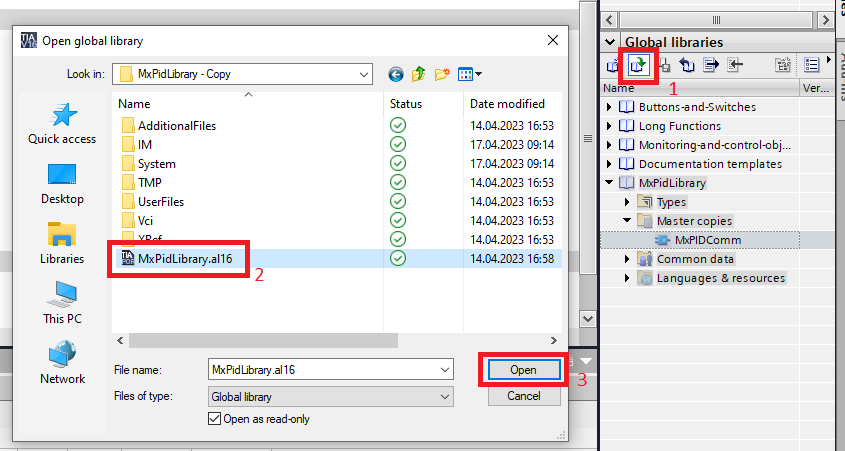
Drag and drop the MxPidCommunication function block to program logic.
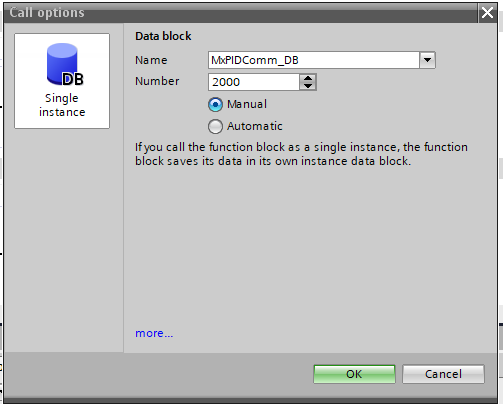
Create data block for added function block. You can give any number for the data block.
infoThe PLC IP address must match the value set in property S7ConnectionSettings.PlcIpAddress. And the MxPidCommunication data block number must match the value specified in S7ConnectionSettings.CommunicationDataBlockNumber.

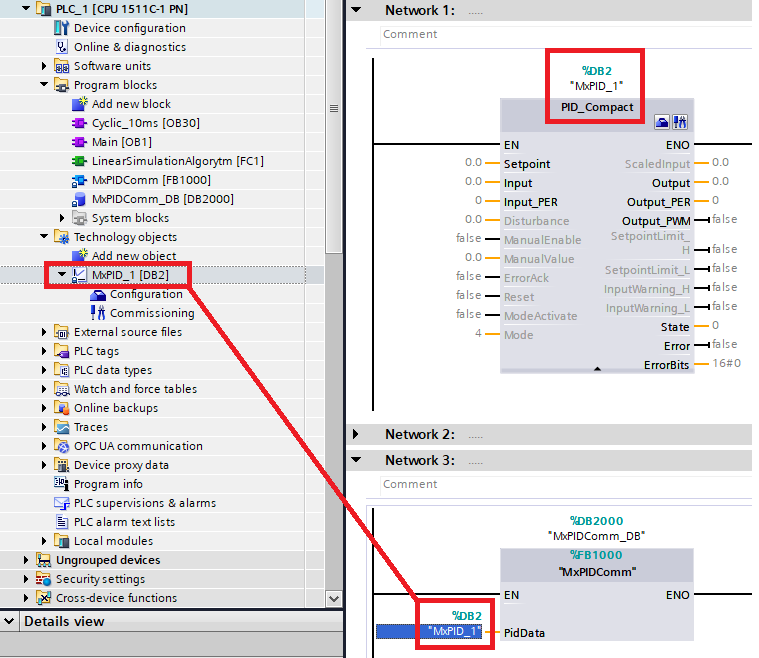
Add a reference to the PID_Compact block.
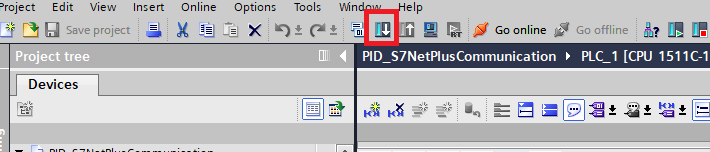
Download the logic to the PLC.